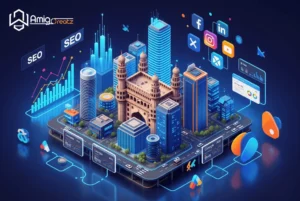

In today’s digital world, a website is more than just an online address, it’s a brand’s identity. Whether you’re a small business owner, freelancer, startup founder, or content creator, having a modern, fast, and visually appealing website is essential. This website designing guide gives you a clear, practical overview of what you need to build a successful website in India in 2026.
India’s online audience has grown massively thanks to cheap data, digital payments, and smartphone penetration. That means businesses must offer better web experiences, clean layouts, fast loading, and mobile responsiveness.
Website designing involves structuring a site’s layout, choosing colors, selecting fonts, placing images, and organizing information so that users can easily find what they need. Good website design focuses equally on:
A website that looks great but loads slowly will still fail. A fast site with poor visuals also fails. Balance is key.
Modern website design follows a few universal principles:
Minimalist layouts help users browse comfortably. Too many elements cause distractions and increase bounce rates.
In 2026, users expect sites to load within 2–3 seconds. Google also ranks faster websites higher.
Nearly 75% of Indian visitors browse through mobile devices. Your site must adapt perfectly to smaller screens.
This is the art of guiding users’ eyes to the most important elements like headings, images, and CTA buttons.
Color palette, logo, images, and fonts should look unified across all pages.
Different goals require different website structures:
Good for: Small businesses, portfolios
Good for: Blogs, portals, news sites
Good for: Online stores
Key features include product filters, cart options, secure payments, and order tracking.
Good for: Creators, freelancers, designers
They showcase your skills, projects, and client testimonials.
Good for: Companies
Require structured layouts, service pages, career pages, and contact forms.
Below is a clean and practical step-by-step workflow:
Your domain should be:
Hosting decides your website’s speed and uptime. Choose options like:
A good site structure includes:
Use tools like Figma or Canva to create wireframes or mockups. This helps visualize the final design.
Here’s a quick comparison:
Platform | Best For | Difficulty | Cost |
WordPress | Blogs & business sites | Easy | Low |
Shopify | E-commerce | Very Easy | Moderate |
Wix | Small business sites | Very Easy | Low |
Webflow | Creative sites | Medium | High |
Content should be:
Your website should look perfect on Android, iOS, tablets, and desktops.
Before launch, check:
Install an SSL certificate, set meta tags, and go live.
Colors influence trust and perception. Examples:
Use clean and readable fonts (14–18px for body text).
Buttons like “Get Started” or “Contact Us” should be visible and clickable.
Compressed images improve loading time and SEO.
Avoiding these mistakes can instantly improve user experience.
Usually 1 to 4 weeks depending on features.
Yes, using tools like Wix, Shopify, and Webflow.
WordPress and Wix are the easiest to start with.
Image sizes, hosting quality, and unnecessary plugins.
Absolutely. SEO helps search engines rank your site higher.
Every 2–3 years to stay modern.
For more basic learning, you can explore:
https://www.w3schools.com
This medium-sized website designing guide captures the essentials you need to plan, design, and launch a modern website in India in 2026. With the right tools, responsive design, and a clean structure, anyone can build a professional online presence whether you’re a beginner or an experienced creator.